In the wake of AT&T's discontinuation of Digital Life services, the search for the best home automation systems intensifies. This guide delves into the top options available, shedding light on their key features and compatibility with existing smart devices, promising a deeper understanding of the evolving landscape of smart homes.
Moving forward, let's explore the intricacies of post-AT&T home automation and discover the possibilities that await in this dynamic realm of technology.
Best Home Automation Systems
With AT&T discontinuing Digital Life services, users are looking for alternative home automation systems to enhance their smart home capabilities. Let's explore some of the top options available:
1. Amazon Alexa
Amazon Alexa is a popular choice for home automation, offering voice-controlled smart home devices. It can integrate with a wide range of smart home devices, such as lights, thermostats, and security cameras. Alexa also allows for easy customization and automation of routines to streamline daily tasks.
2. Google Nest
Google Nest provides a seamless smart home experience with products like smart thermostats, cameras, and doorbells. It offers compatibility with a variety of smart home devices, allowing users to create a connected ecosystem. Google Assistant integration enables voice control for added convenience.
3. Samsung SmartThings
Samsung SmartThings is known for its versatility, supporting a broad range of smart home devices from various brands. Users can create custom automation routines and monitor their home remotely through the SmartThings app. Integration with voice assistants like Alexa and Google Assistant enhances the overall smart home experience.
Installation and Setup Process
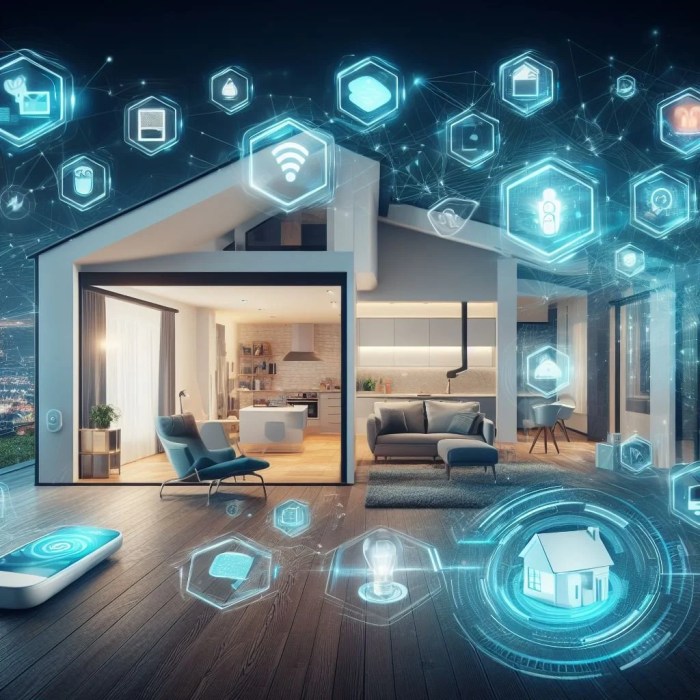
When setting up a new home automation system after AT&T ends Digital Life services, it's essential to follow a detailed guide to ensure a smooth and successful installation process. Here, we will provide you with step-by-step instructions on how to install and set up your new home automation system, along with tips for troubleshooting common issues that may arise.
Preparation and Requirements
Before you begin the installation process, make sure you have the necessary tools and requirements on hand. Here are some common items you may need:
- Smart home hub or controller
- Smart devices (smart lights, smart locks, smart thermostats, etc.)
- Strong and reliable internet connection
- Mobile device with the compatible app for your home automation system
Installation Steps
- Start by setting up your smart home hub or controller in a central location in your home.
- Follow the manufacturer's instructions to connect your smart devices to the hub or controller.
- Download and install the app for your home automation system on your mobile device.
- Pair the app with your smart hub or controller and follow the on-screen instructions to set up your devices.
- Configure automation routines and settings based on your preferences and needs.
Troubleshooting Tips
- If you encounter connectivity issues, check your internet connection and ensure all devices are properly connected to the hub.
- Restarting the hub or controller and your smart devices can often resolve minor issues.
- Make sure your devices are within range of the hub or controller to ensure proper communication.
- Update the firmware of your devices and the app to access the latest features and bug fixes.
Smart Home Integration
Smart home automation systems today offer seamless integration with a variety of smart devices, including lights, thermostats, security cameras, and more. This integration allows for greater control and convenience in managing your home environment.
Setting up Automation Routines
Setting up automation routines across different devices within a smart home ecosystem is now easier than ever. With user-friendly interfaces and intuitive apps, you can create custom schedules and triggers to automate tasks and responses based on your preferences and needs.
- For example, you can set up a routine that turns on the lights and adjusts the thermostat when you arrive home, creating a welcoming and comfortable environment before you even step inside.
- You can also integrate security cameras with motion sensors to automatically turn on lights or send alerts to your phone when motion is detected, enhancing the security of your home.
- By syncing your smart devices, you can create a seamless experience where they work together to enhance your lifestyle and provide added convenience and efficiency.
Security and Privacy Considerations
When transitioning to a new home automation system, security and privacy considerations become paramount. Users must ensure that their data and personal information are protected from potential threats and breaches. It is essential to compare the security features of different systems to make an informed decision.
Comparison of Security Features
- Encryption: Look for systems that offer end-to-end encryption to secure communication between devices and the central hub.
- Multi-factor authentication: Opt for systems that require multiple factors for user authentication, such as passwords, biometrics, or security tokens.
- Regular software updates: Choose systems that provide regular updates to patch vulnerabilities and enhance security measures.
- Secure network protocols: Ensure that the system uses secure network protocols like WPA3 for Wi-Fi connectivity to prevent unauthorized access.
Enhancing Security Measures
- Strong passwords: Create unique, complex passwords for each device and change them regularly to prevent unauthorized access.
- Network segmentation: Separate IoT devices from the primary network to limit access to sensitive data and reduce the risk of a widespread breach.
- Disable unnecessary features: Turn off unused features or services that may pose security risks, such as remote access or guest networks.
- Monitor device activity: Regularly check device logs and review connected devices to detect any suspicious behavior or unauthorized access.
Last Recap
As we conclude our exploration of the best home automation systems post AT&T's Digital Life era, it becomes evident that the future of smart living is brighter than ever. With a myriad of options to choose from and endless possibilities for integration, embracing these advancements in home technology is not just a choice but a necessity in the modern age.
FAQ Section
Are these new home automation systems user-friendly for beginners?
Yes, most modern systems come with intuitive interfaces and easy setup processes, making them accessible for users of all levels of experience.
What sets these new systems apart from AT&T's Digital Life services?
The new systems often boast advanced features, improved compatibility, and enhanced security measures, offering a more robust smart home experience.
Can existing smart devices be integrated seamlessly with these new systems?
Yes, most systems prioritize compatibility and provide mechanisms for easy integration with a wide range of smart devices already present in a home.